
Glint View · RAW culler for macOS
Find your keeper shots, quickly.
Glint View is a native macOS RAW culler. It opens a whole card of RAWs in seconds with neat features and a clean UI so you can find the keepers without missing the good ones.
macOS 14+ · notarized by Apple · works offline · no subscription
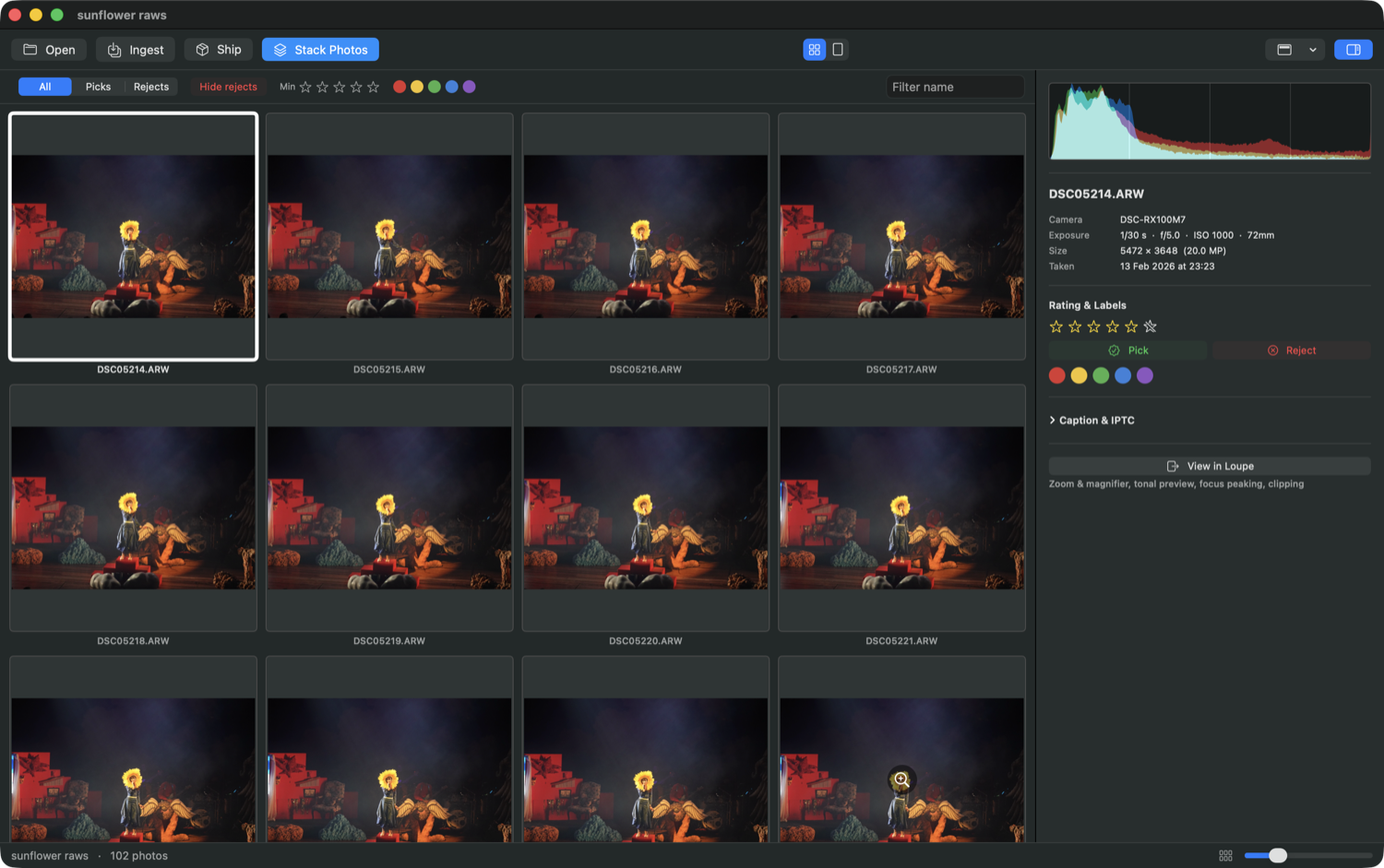
Point it at a folder and it loads almost instantly. The app reads the preview baked into each RAW instead of demosaicing the whole card, thus making the process a lot quicker.
ARW · CR2 · CR3 · NEF · RAF · DNG · and more
Stack a burst, keep the one.
Glint View has the ability to group each burst into a single stack. Hover your cursor on a stack to preview it, then dive in and pick or reject frames from within those subgroups. Keep your favorite and clear the rest in seconds.
Fast is the whole point.
When benchmarked against Photo Mechanic, the industry standard for RAW image culling, Glint View kept pace on browsing and did it with about half the processor work and a third of the memory. Your numbers will vary with your machine, but the difference under the hood is real.
See what's actually there.
A frame can look like a throwaway just because the exposure's off. Glint View has an ability called "RAW Tonal Preview" which works to view the real sensor data, not the preview. You can push the exposure, lift the shadows, recover highlights, and judge a frame on what it would become in an actual RAW editing environment.
When you're done
Filter to your picks and ship them straight to your editor, copy them into a fresh folder, or export JPEGs. Your ratings and labels come along.
Native to the Mac
This software was written in Swift, a big part of why it feels fast. Mac-only for now; a Windows version is a proper rebuild, so that'll take time. But it's on the way.
Get it
There are two ways to get it, and it's the same app either way.
Mac App Store
$10
Automatic updates with Apple handling the billing. Not on the store yet.
Coming soonDirect
Pay what you want
The same app, notarized. Contribute what you like, or grab it for free.
macOS 14+ · notarized ·privacy